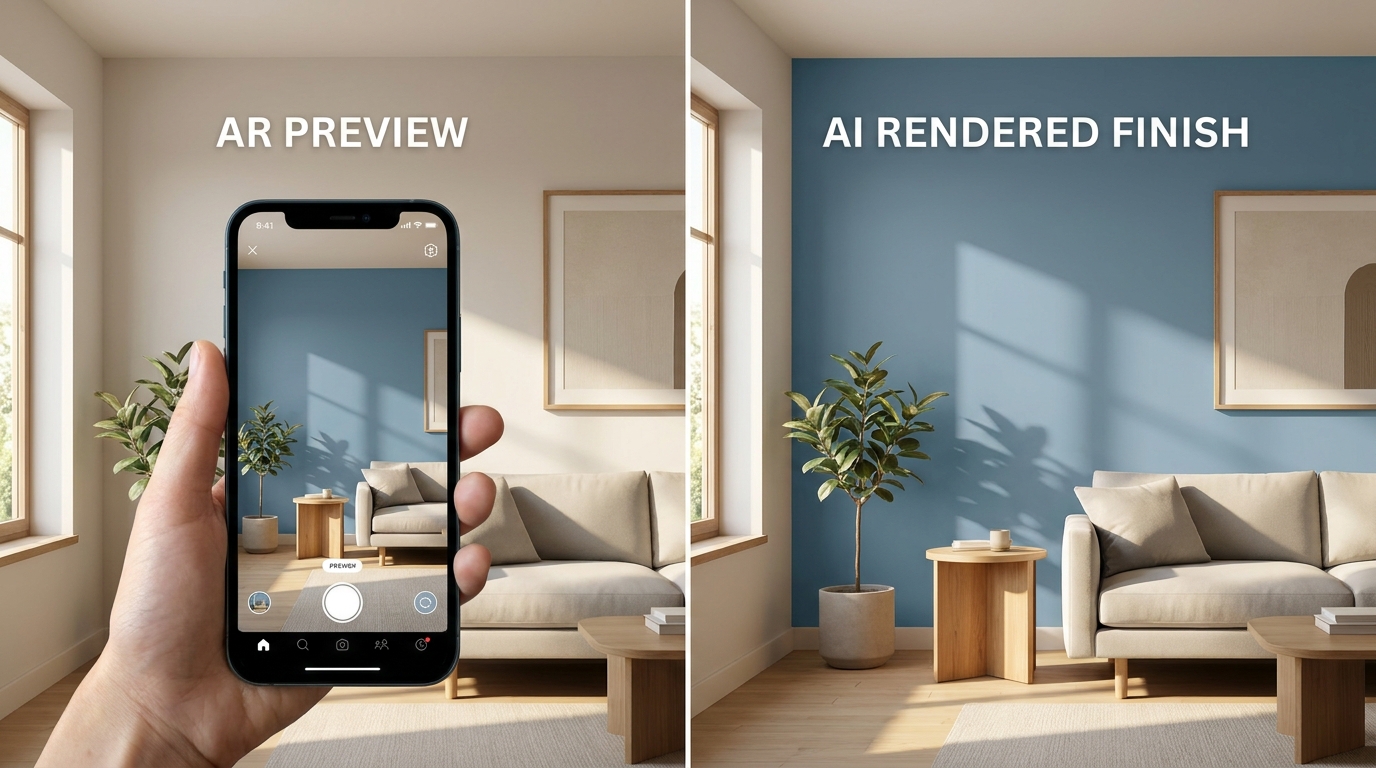
If you're buying Dulux and want a quick look at a color on your wall, the free Dulux Visualiser does that. If you're choosing between Dulux and other brands, or want to see how a color looks in your room at different times of day, that's where Muro comes in.
First, who's writing this. I built Muro, so read this as the maker's view. I've tested Muro myself. I haven't tested Dulux Visualiser, so what I say about it comes from its UK App Store listing, checked on September 28, 2026.
Quick comparison
| Muro | Dulux Visualiser (UK) | |
|---|---|---|
| Price | Subscription | Free |
| Colors | 51,362 from 34 brands plus RAL Classic | 1,200+, Dulux only |
| How it works | Repaints the walls in a photo of your room | Augmented reality through your camera |
| Compare brands | Yes | No |
| Different colors on different walls | Yes | — |
| Many colors at once | Up to 12 on the same wall | — |
| Time of day | Day, sunset, night, lamps on or off | — |
| Match a color | From a photo, closest match in each brand | Nearest Dulux color from your surroundings |
| Order testers | No | Yes, from the app |
| Devices | iPhone, iPad | iPhone, iPad |
| App Store rating (UK) | — | 4.4 from about 2,500 ratings |
A dash means the listing doesn't mention it, not that the app can't do it.
Two different approaches
Dulux Visualiser uses augmented reality. According to its listing, you point your phone at the wall and see it in a Dulux color straight away. It can also pick a color from your furniture or surroundings, find the nearest Dulux shade and suggest colors that go with it, and you can order testers without leaving the app.
Muro works on a photo. You take a picture of your room or pick one from your camera roll, choose a color, and Muro makes a new image of that room with the walls repainted. The light from your window, the shadows and the furniture stay as they were. You can then check the same color by day, at sunset and at night, with the lamps on or off.
A live camera view is quick and good for a gut reaction. A finished photo is something you can look at again, put next to another one and think about. Which you need depends on how far along you are.
The brand question
Dulux Visualiser shows Dulux colors, which is fine if you've settled on Dulux. If you want to put Dulux next to Farrow & Ball, Benjamin Moore or Caparol on the same wall, Muro has all of them in one catalog, along with Tikkurila, Jotun, Sikkens, Brillux and a long list of other European and US brands.
What Muro doesn't do
Muro is a subscription with a monthly allowance of color changes and no free trial, so you pay before you try it. There's no Android version and no live camera mode. You can't order paint or testers from it. It's built for interior walls.
Bottom line
Use Dulux Visualiser if you want a free, quick look at Dulux colors on your wall, or want to order testers.
Use Muro if you're comparing brands, want to try several colors on the same wall at once, or want to see a color in your room's light at different times of day.
A good way to use both: browse Dulux colors for free in their app, then put your shortlist, from Dulux or anyone else, on your own wall in Muro. And before you buy the big tins, paint a real tester on the wall and look at it morning and evening.