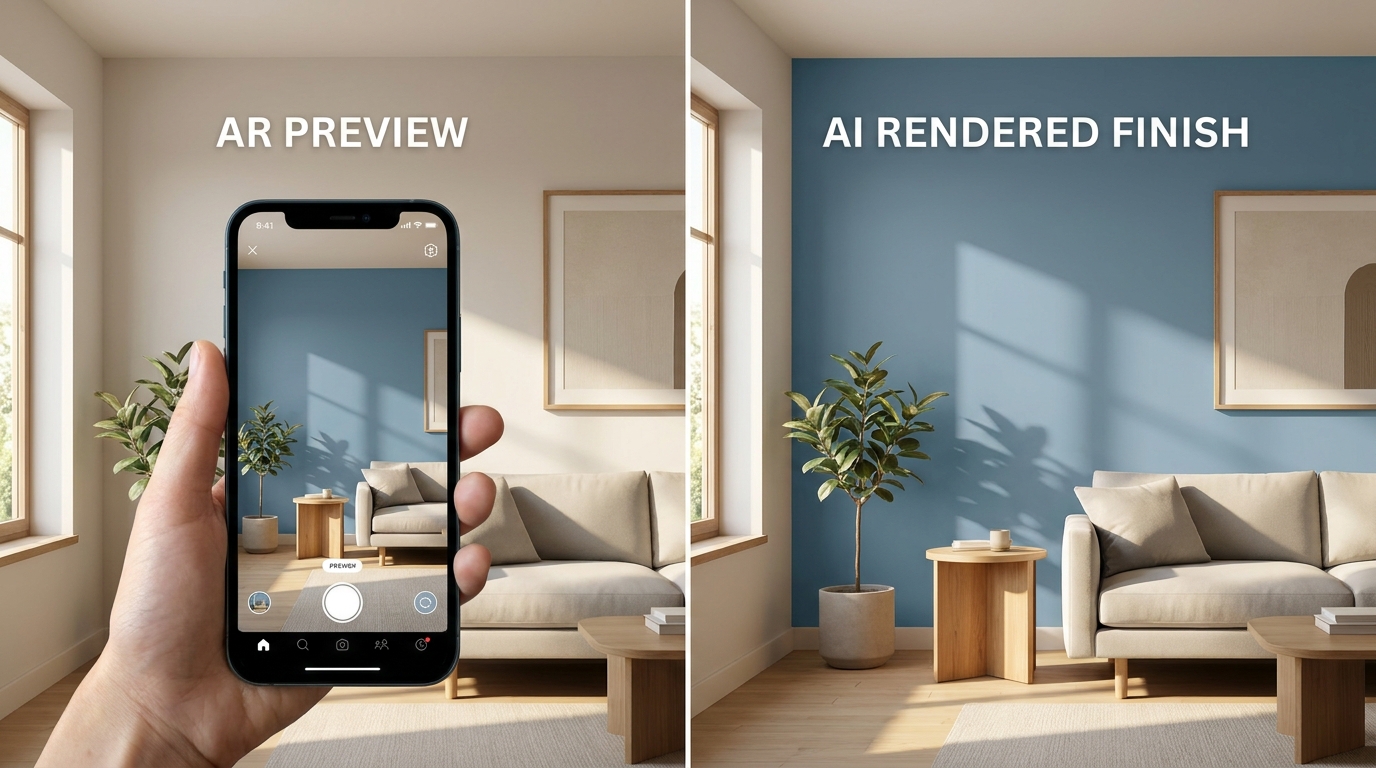
Dulux Visualizer pioneered AR paint visualization. Muro takes a different approach with AI. The technology matters less than the result — so which one actually helps you pick the right color?
Quick comparison
| Feature | Muro | Dulux Visualizer |
|---|---|---|
| Colors | 27,000+ from 14 brands | Dulux only (~1,200) |
| Technology | AI — generates photorealistic image | AR — real-time camera overlay |
| Price | Subscription | Free |
| Brands | Multi-brand (including Dulux competitors) | Dulux only |
| Result type | Saved high-res image (up to 4K) | Live camera feed (no save in some versions) |
| Lighting | Preserves room lighting & shadows | Flat overlay ignoring lighting |
| Multiple walls | Zone selection per wall | One wall at a time |
| Batch mode | 12 colors simultaneously | No |
| Platform | iOS | iOS + Android |
The AR experience (Dulux)
Dulux Visualizer was one of the first paint AR apps, and it's still fun to use. Point your camera at a wall, pick a color, and the wall changes in real time. There's an immediate "wow" factor.
But spend a few minutes with it and the limitations become clear:
- Flat color. The AR overlays a uniform tint. Your wall's shadows, light gradients, and texture disappear under a flat sheet of color.
- One wall at a time. You can't visualize an entire room. Paint one wall, then repoint your camera for the next.
- Color bleeding. The AR tracking struggles with edges — color often seeps onto the ceiling, trim, or adjacent walls, especially on textured surfaces.
- No save in older versions. Some regional versions don't let you save the preview. You see it live, but can't compare later.
- Dulux only. If you want to compare Dulux Heritage White with Farrow & Ball Pointing or Benjamin Moore White Dove, you can't.
The AI approach (Muro)
Muro works differently. Take a photo (or pick one from your camera roll), select a color, and the AI generates a new image showing your wall painted that color. It takes a few seconds instead of being instant, but the result is fundamentally different.
The AI understands how light works in your room. The warm glow from a south-facing window creates a natural gradient across the wall. The shadow behind the sofa stays exactly where it is. The texture of the wall surface is preserved.
The result is an image you can save, compare, share, and zoom into at up to 4K resolution.
Which gives more accurate results?
Here's the thing: AR is fast but inaccurate. AI is slower but realistic.
If you're just getting a gut reaction — "do I like blue or green in this room?" — Dulux's AR gives you that answer in two seconds. That's valuable.
But if you're actually deciding which specific shade to buy — and you don't want to repaint next weekend because the color looked different in reality — you need to see how the color interacts with your room's actual lighting. That's what AI visualization does.
Paint doesn't look the same across an entire wall. It shifts with distance from the light source, it darkens in corners, it warms up near warm light and cools down near windows. A flat AR overlay shows none of this. AI generation shows all of it.
The brand question
Dulux Visualizer only shows Dulux colors. That's fine if you've already committed to Dulux. But if you want to compare Dulux Mineral Mist with Farrow & Ball Light Blue or Caparol Fjordgrau, you can't.
Muro includes Dulux competitors alongside Dulux-equivalent colors. One photo, every brand, side by side.
Bottom line
Use Dulux Visualizer if: you want a free, instant gut check on Dulux colors. It's fast, it's fun, and it costs nothing. Great for initial exploration.
Use Muro if: you're making the actual purchase decision and want to see realistic results that account for your room's lighting. Especially useful if you're comparing across brands or need to see multiple colors on the same wall.
The best workflow: browse Dulux colors for free with their app, then visualize your top candidates in Muro before buying.